Useful signals
Connect selected meters, controllers or existing systems. Establish what each reading means and how the team recognizes missing or stale information.
 GroundBoot
Monitoring & control / Enterprise solutions
Bring equipment conditions, operating context and the people responsible into one clear view. Turn the right signals into a useful response.
Monitoring and control designed around your buildings, systems and operation.
01 / From signal to operation
An air-handling unit reports running after scheduled hours. Give the operator the context to understand it and a clear path to the next step.
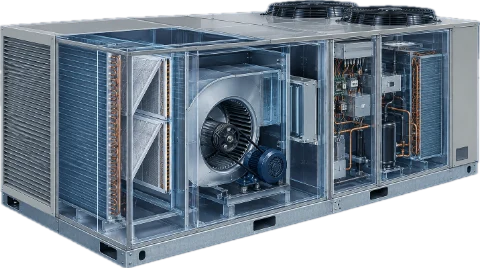
Link the operating condition to the equipment, its schedule and the work already recorded.
A condition for the operator to review.
Next step / Assigned operator review
Observe
The reported fan status falls outside its scheduled day. A useful monitoring view brings the condition, source and observation time together.
The connection is designed around selected equipment and meaningful operating questions.
Understand
Review occupancy, schedule exceptions and recent work. The operator can judge whether the condition is expected or needs follow-up with the equipment’s context in view.
Useful context helps the team choose an appropriate response.
Respond
Route the finding to maintenance, document an operating decision or use a specifically approved control path. Keep the responsible person, action and outcome connected.
Control actions are defined for the project, with operator authority and the building’s local safeguards. This example sends no command to equipment.
02 / Operational clarity
Make operating information useful to the people who can do something with it.
Bring selected conditions and source health into a view the team can understand.
Connect the finding to an operator, a maintenance visit or an agreed response.
Carry the response and supporting history into the next review or operating decision.
03 / Fit the connection to the operation
Start with the questions your team needs to answer. We can design the connections, operating views and response workflows around them.
Connect selected meters, controllers or existing systems. Establish what each reading means and how the team recognizes missing or stale information.
Relate conditions to the building, equipment and relevant maintenance records. GroundBoot can provide the operational context around the connection.
Design the review, escalation and permitted actions around the people responsible. Agree the ownership and support needed to keep the connection useful.
Monitoring and control are scoped through an Enterprise engagement. PropertyMGR and BuildingMGR Bridge are optional private-preview components; the design can also work with existing systems.
04 / From connection to operation
Define what the team needs to know, what happens next and who owns that response before extending the connection.
Identify the equipment, operating condition and decision the connection should support.
A useful first scopeCheck the source, meaning, timing and behavior when information is unavailable.
Information the team can interpretDefine who reviews, who may act and which maintenance or control paths are included.
Clear authority and boundariesValidate the workflow with its operators and agree change, support and recovery responsibilities.
A connection with an operating ownerAny control integration is specifically qualified and agreed, including allowed actions, local interlocks and acknowledgment. Standard GroundBoot maintenance can support the operation alongside it.
Start with the operating question
Tell us which conditions matter, who needs to know and what a useful response would look like.